01
Permission denied. Again
The right code. The wrong SSH key.
git push origin mainPermission denied (publickey).
The push stopped before it reached your remote.
Switch accounts automatically. Bring your branches, changes and
pull requests together in one thoughtful Git client.

Matched by folder rule ~/code/acme/**
Screenshots from GitTrail itself. Pick a view to look around.
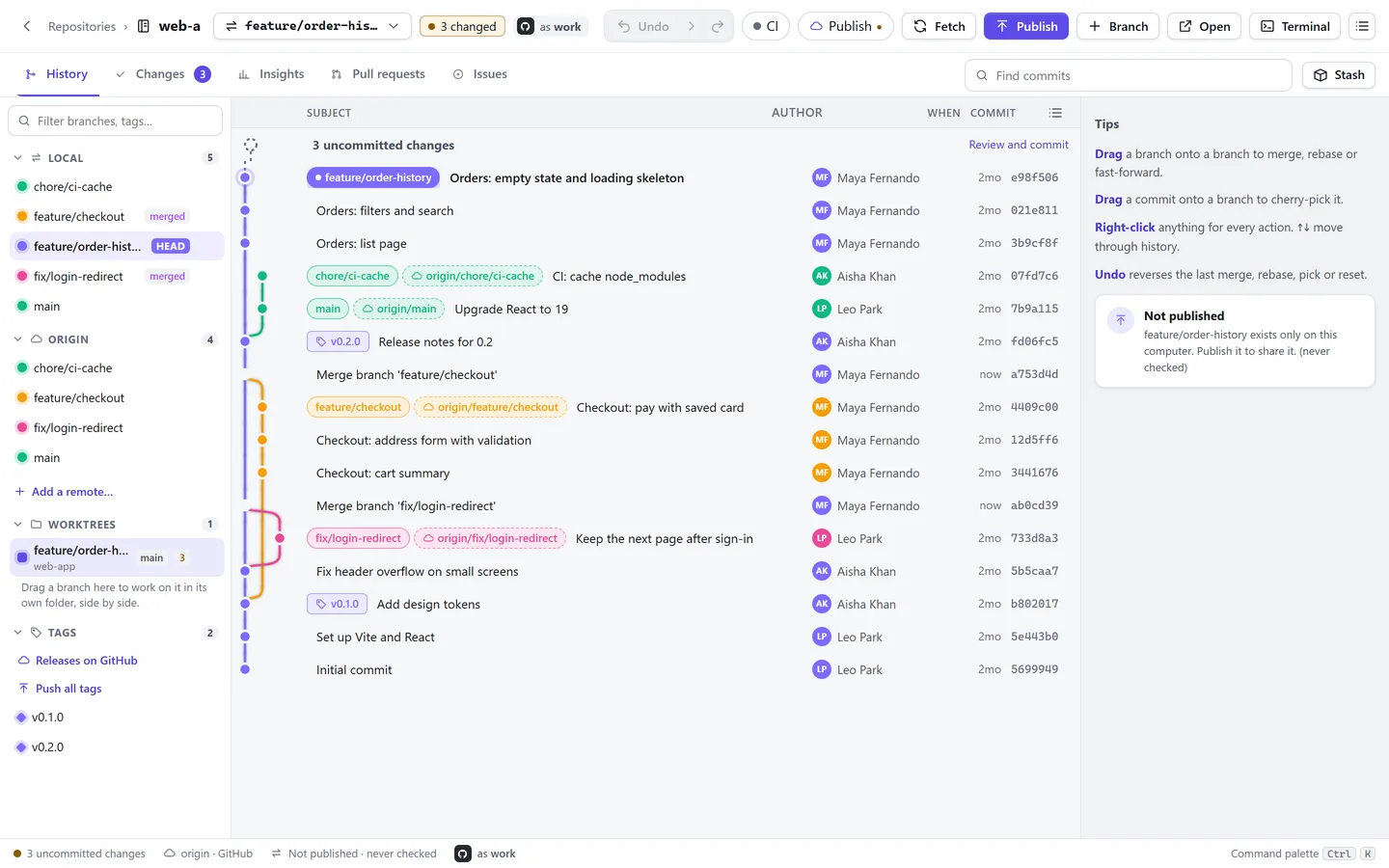
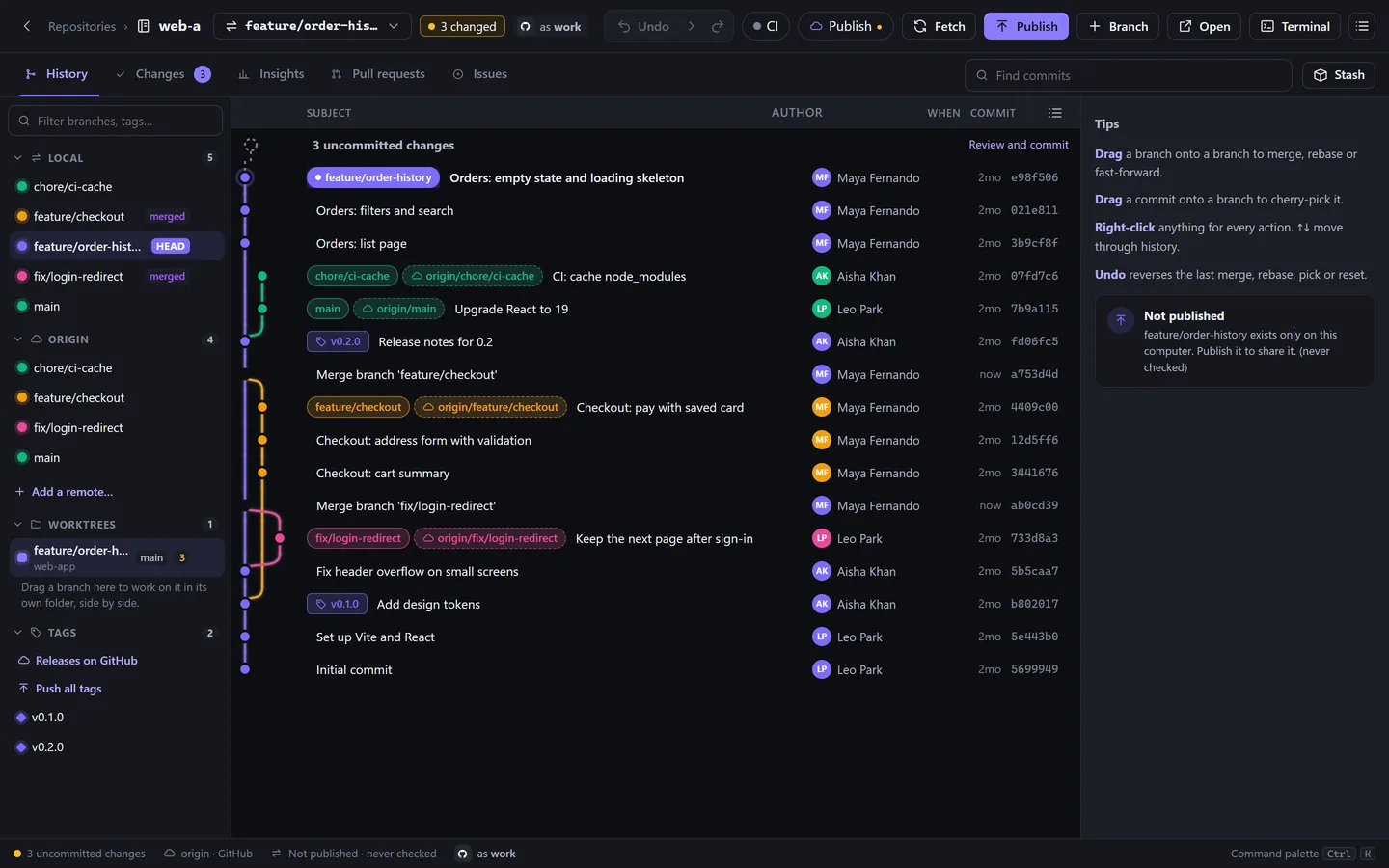
A colourful commit graph with branches, merges and tags. Drag a branch onto another to merge or rebase, and undo any step.
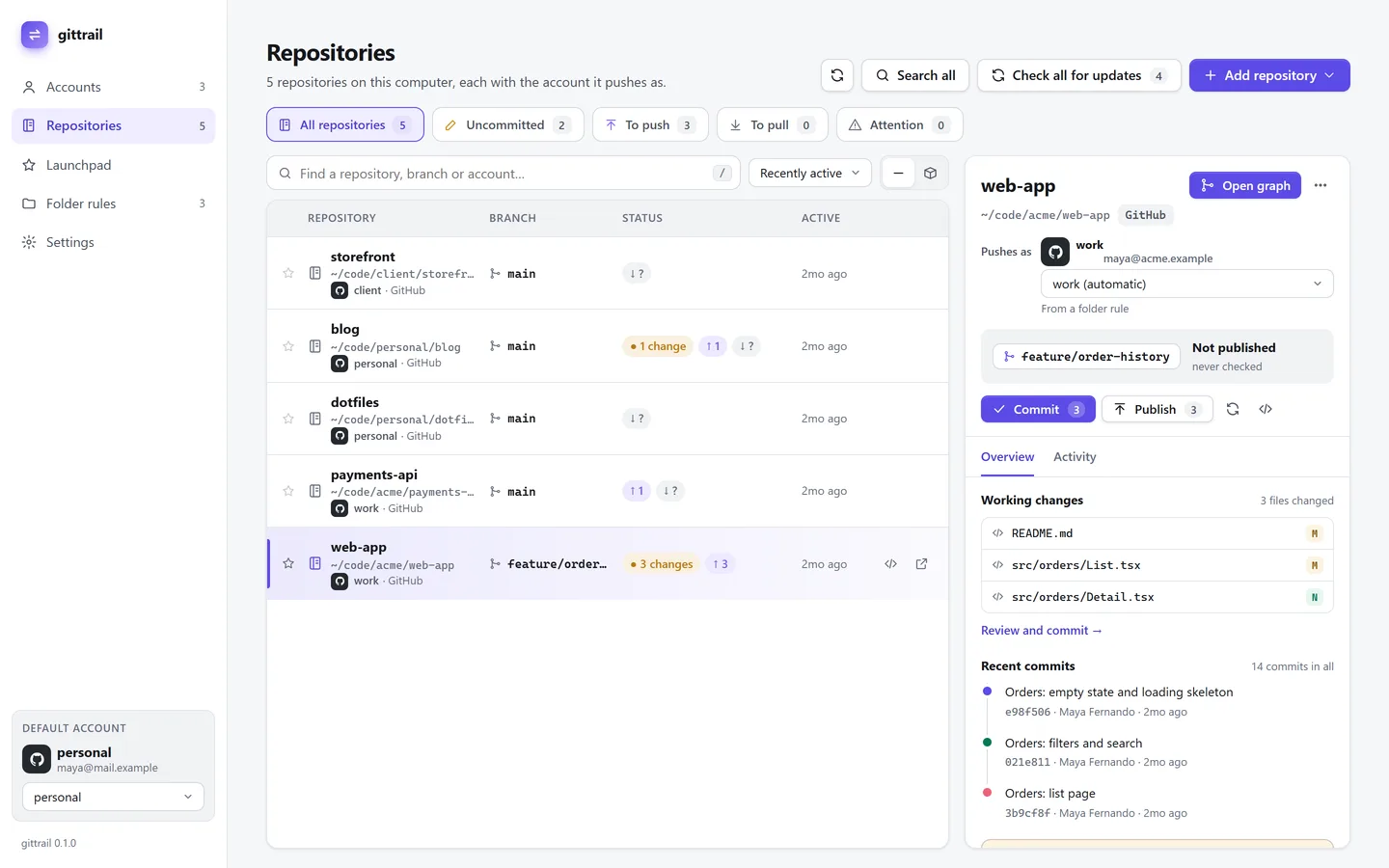
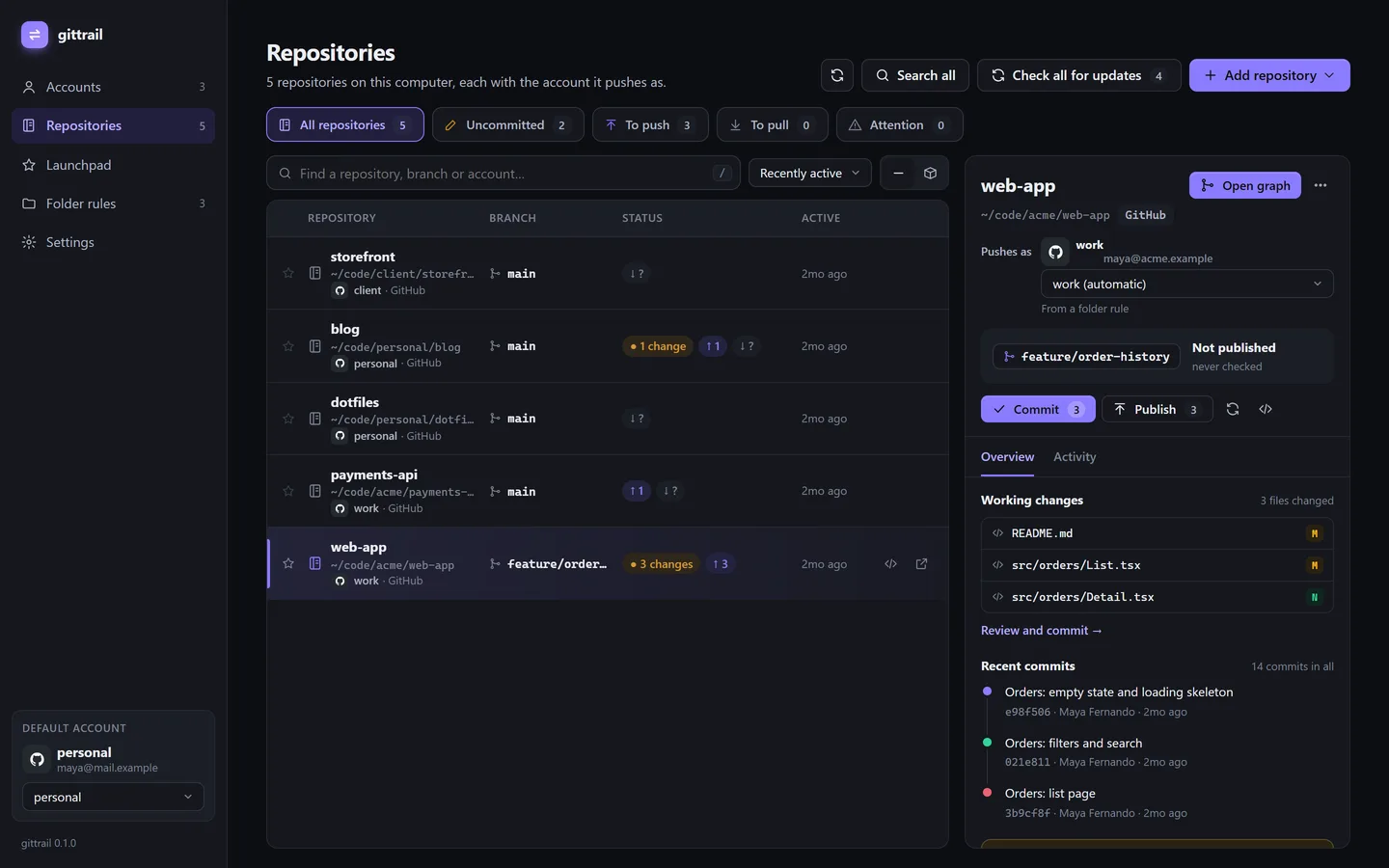
See what to commit, push or pull across every repository, and which account each one pushes as.
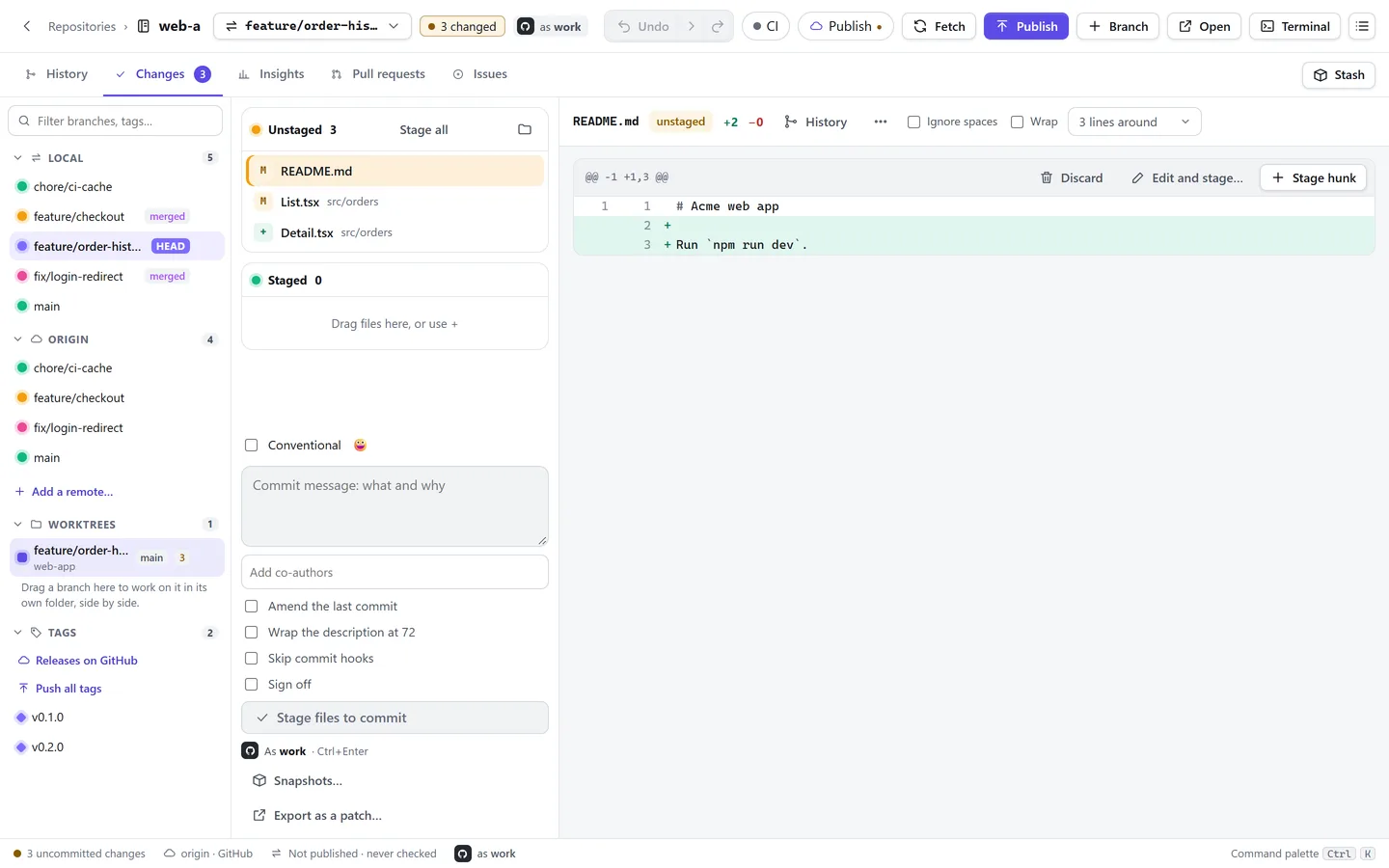
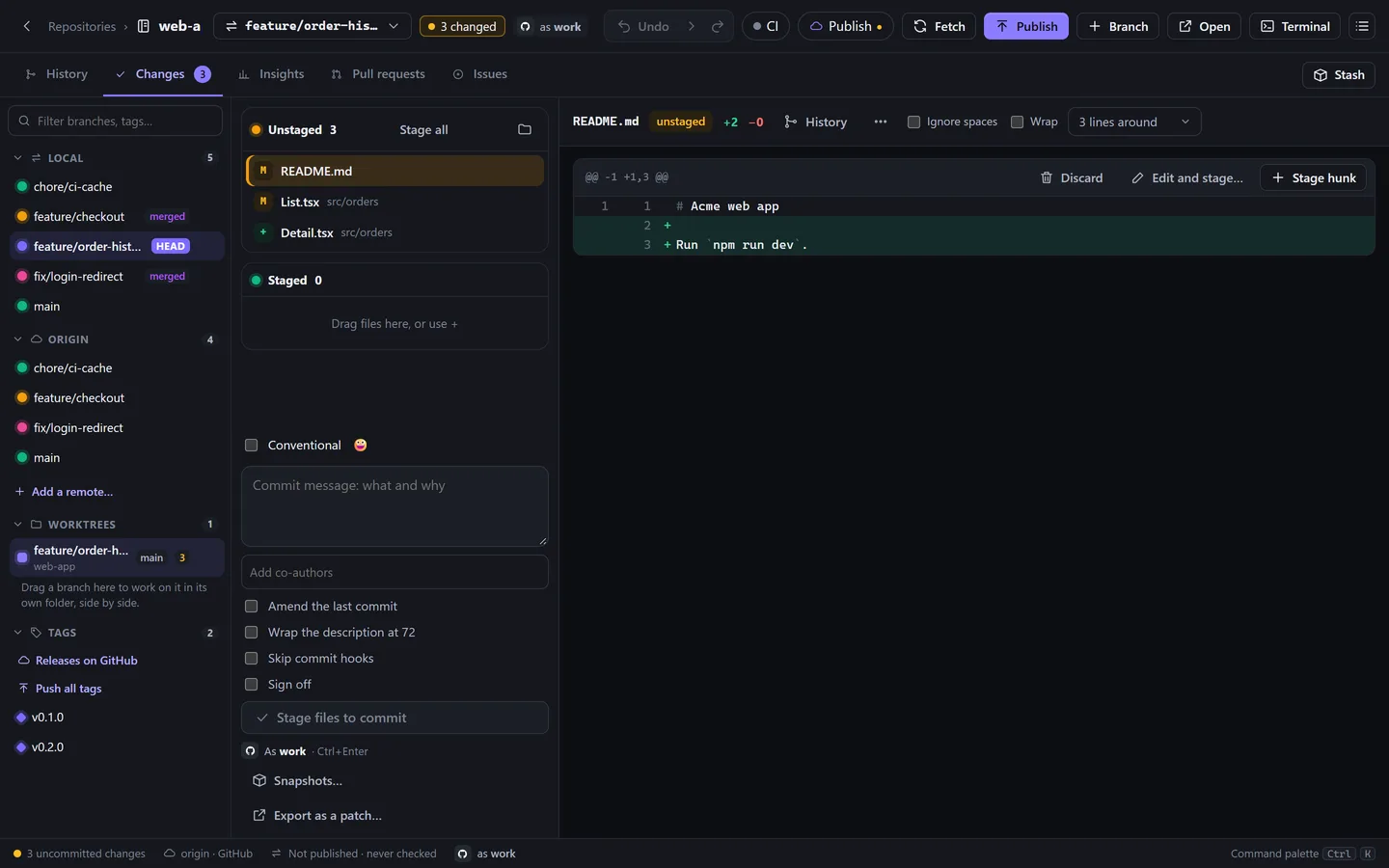
Stage files, hunks or single lines, write the message and commit as the right account, shown before you press Commit.
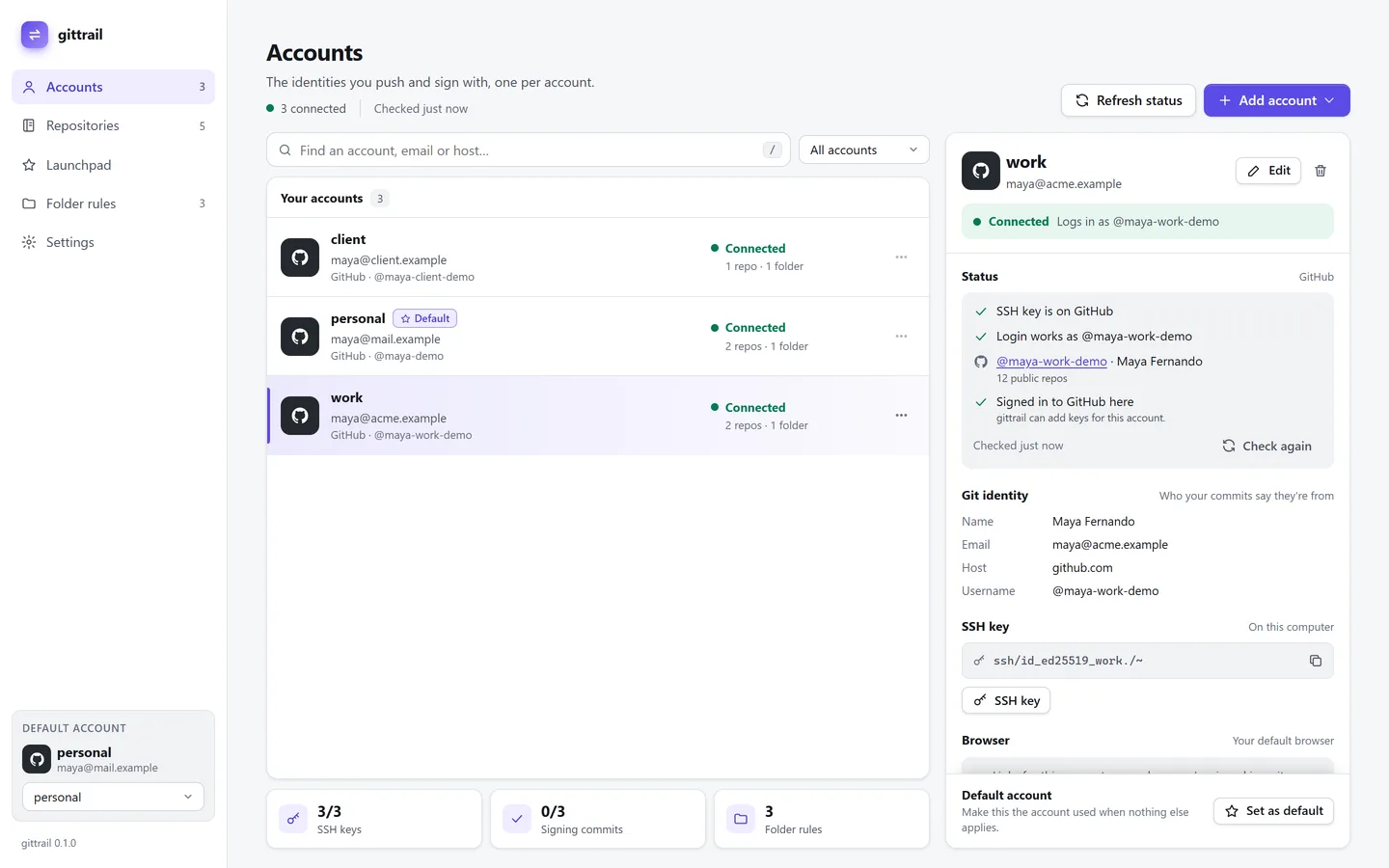
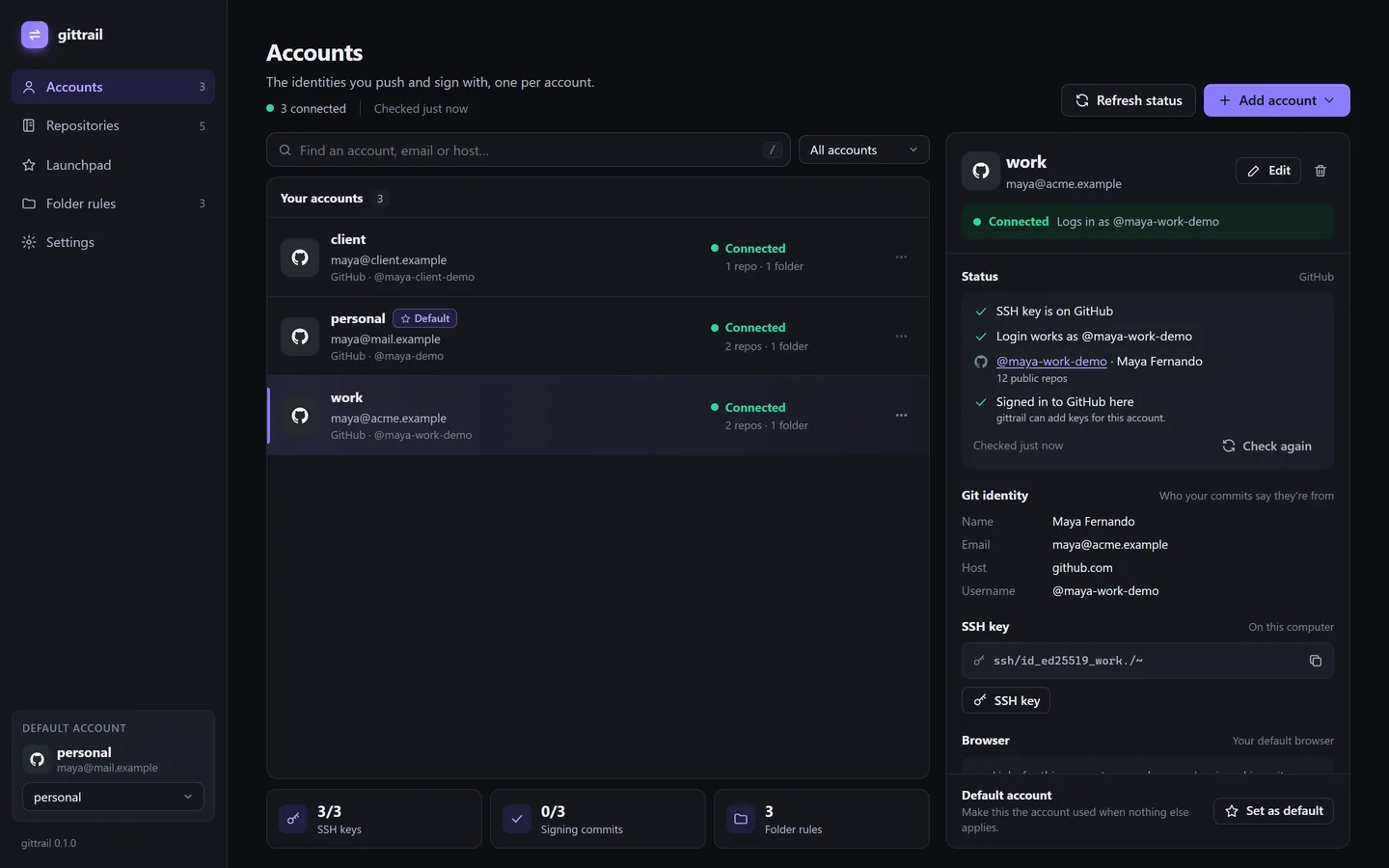
Work, personal and client accounts with their own name, email and SSH key. Folder rules pick the right one for you.
Shown with sample repositories. Looks the same on Windows and Linux.
One machine. Three accounts. A few too many ways to get it wrong.
The right code. The wrong SSH key.
git push origin mainA personal identity in a client’s history.
git log -1 --format=%aeAnother host alias. Another thing to remember.
cat ~/.ssh/configYour folders already know where your work belongs. Now Git does, too.
Connect work, personal and client accounts.
3 accounts connectedChoose which account belongs to each folder.
~/work/** → workYour name, email and key follow the repo.
Ready to pushYour work folder can choose your work account. Set the rule once.
Interactive website demo. Your local repos stay untouched.
Pick a tool. See how it fits your next commit.

Set a folder or remote rule once. GitTrail checks your author, SSH key and account before you push.
Explore the workflowSee your history clearly, then drag and drop to merge, rebase or cherry-pick.
Explore the workflowDrag a branch to choose your next move
Stage individual lines, spot moved code and catch secrets before they enter your history.
Explore the workflowsrc/auth/identity.ts+8 −2const account = resolveAccount(repo);− return defaultIdentity;+ guard.verify(account);+ return account.identity;
Compare both sides, resolve simple conflicts and review the result before you continue.
Explore the workflowtheme: 'system',
account: 'work'
theme: 'dark',
account: 'work'
Review the result before continuing
Read pull requests, review code and follow CI checks without leaving your repo.
Explore the workflowMerge 4 commits into main
Bring reviews, your pull requests and assigned issues across accounts into one Launchpad.
Explore the workflowUse activity history to undo supported Git actions and recover your local work.
Explore the workflowRecover supported local Git actions
The tools you reach for every day. Right where you need them.
Keep parallel work in separate folders.
Save unfinished changes for later.
Shape commits before you share them.
Find the reason behind a change.
See how your project moves.
Your shell, in your repo.
Find any action in a few keystrokes.
Stay in flow with your keyboard.
Make your workspace feel like yours.
Sign with SSH, GPG or gitsign.
Works with GitHub today. More hosts are coming soon.
Open the right view from your shell.

Your repos stay on your computer. Your credentials stay in your system keychain. Nothing syncs on its own.
Everyday Git for everyone. More power when you need it.
The right account. Your everyday Git.
More context. Fewer tabs. Better teamwork.
60% off Launch offer, monthly and yearly billing
From your first side project to your next team release.
Keep each client’s identity attached to its repos, then switch back to your own work.
Keep reviews, issues and contributions together across your personal and project accounts.
Bring account rules, reviews and project insights into one consistent Git workflow.
Your mouse is optional. Switch identities, open history and check your setup from the command line.
Explore the CLI› gittrail use workUsing work · maya@acme.example
› gittrail open historyOpening web-app history
› gittrail doctorIdentity matched · SSH connected
Developers decide what GitTrail does next. Send a request and follow it on the public board, from idea to release.
Your accounts, your code, your next great idea. All in the right place.